How to Fix 6.14E+10 Scientific Notation Phone Errors for HubSpot CSV Imports
Why does Excel corrupt phone numbers into 6.14E+10 format during CRM export?
Excel formats long numeric strings such as Australian mobile or international phone numbers as scientific notation (for example 6.14E+10) whenever the column uses the default General number type. Saving the sheet as CSV writes that truncated scientific-notation string to the file permanently, and HubSpot imports the corrupted value exactly as written.
The failure happens before HubSpot is ever involved. When a phone column is typed as General, Excel stores 61400000000 as the number 6.14E+10 and drops the trailing digits. Once you export to CSV, the file literally contains the string 6.14E+10 instead of +61 400 000 000. HubSpot's importer does not reconstruct truncated numbers or reverse the exponent — it reads the raw string and, if it passes basic field-length rules, writes the un-dialable value straight into the Contact record.
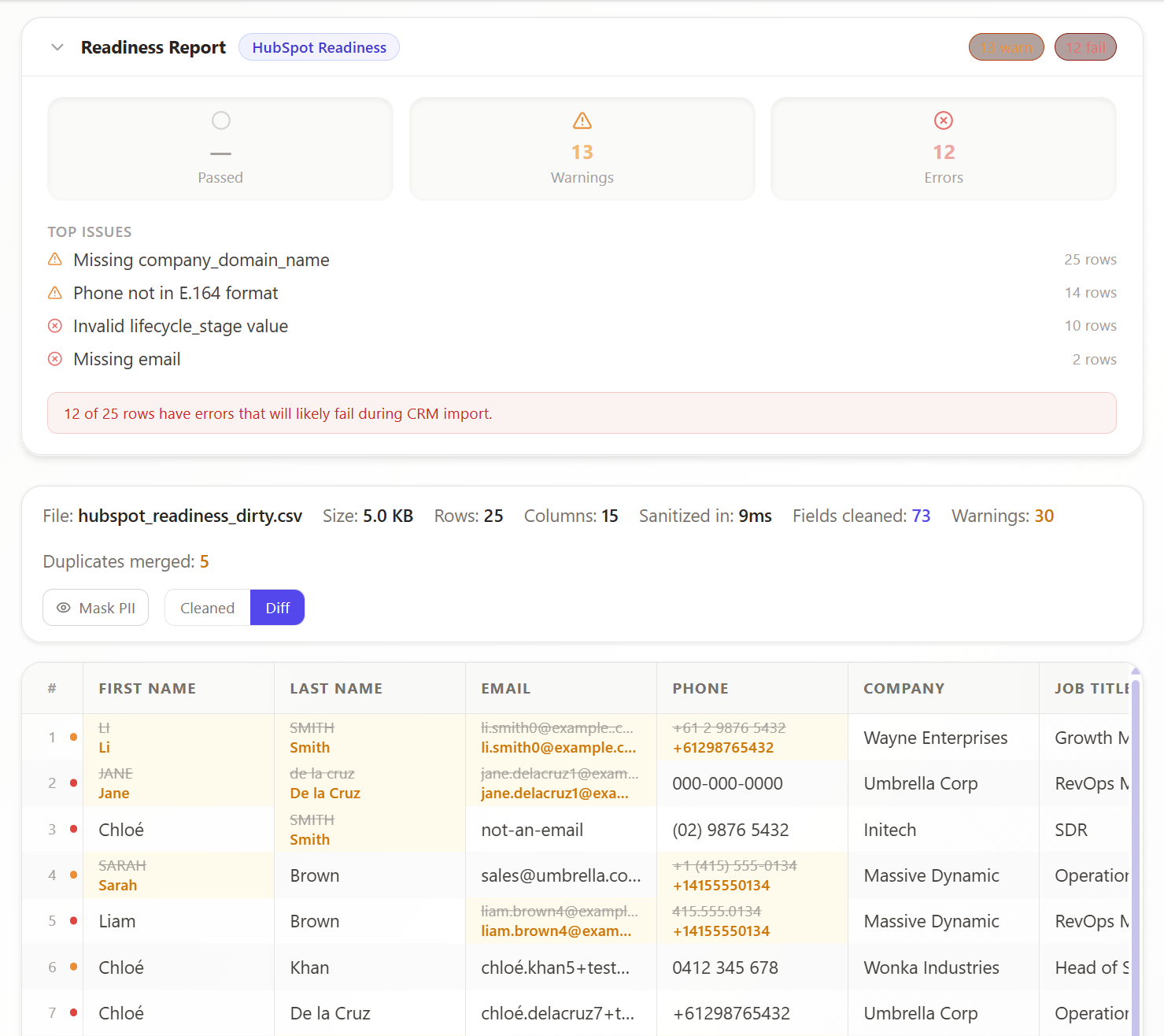
How do I stop HubSpot from importing scientific-notation phone numbers?
Convert the corrupted numeric cells back into full phone strings before import. CleanCrumbs decodes scientific-notation values and rebuilds each number in standard E.164 format (for example +61 400 000 000) entirely in your browser, then exports a HubSpot-ready CSV.
CleanCrumbs runs the repair locally in a Web Worker, so you never re-key columns or write Excel macros:
- Scientific-notation decoding — expands
6.14E+10back to its full digit sequence - E.164 formatting — outputs a standard, dial-ready number for US and Australian formats
- Whitespace trimming — removes hidden spaces that also break importers
- Row-level diff view — shows the original and repaired value side by side before export
Which phone number formats does CleanCrumbs support?
CleanCrumbs parses US and Australian numbers with libphonenumber-js and outputs standard E.164 format, so dialers, SMS tools, and HubSpot workflows read them correctly.
Numbers are validated against real country rules rather than a naive regex, so extensions, country codes, and local-format variants are normalized consistently. The result is a single canonical format across your entire list, which also makes duplicate detection more reliable during import.
Does my phone data stay private while it is cleaned?
Yes. Phone normalization runs inside a Web Worker on your own device. Raw file data never leaves the browser — this is enforced by a strict Content Security Policy that blocks outbound data connections.
Unlike upload-based cleaning services, CleanCrumbs never transmits your rows to a server. Authentication is handled by Clerk (which receives only session tokens), and your repaired CSV is written directly back to your device.
How CleanCrumbs fixes this in your browser
CleanCrumbs decodes scientific-notation phone cells, rebuilds each number in E.164 format, and trims hidden whitespace before you re-export a clean CSV for HubSpot. Because processing runs locally in a Web Worker, your lead data never leaves your browser. Anonymous visitors can preview up to 3,000 rows and export a 250-row sample, then sign up free to complete exports and run the Pro HubSpot Readiness scan to confirm the file imports cleanly.
Clean your list free — no upload, no sign-up required